Apple IDs

Bulk savings
| Quantity | Discount | Per unit |
|---|---|---|
| — | each |
2 people are viewing this product right now.
156 purchases.
🍎 Apple ID — 3+ Months
✅ Verified & Working
☁️ iCloud Not Activated
📲 App Downloads Approved
🌎 Region Change Available
⚡ Instant Delivery
🛡️ 10H Login Guarantee
Includes:
• Apple ID + Password
• API Code OTP
• Email + Password
• 3 Security Questions
Apple ID – Terms of Service
By purchasing this product, you agree to the following terms:
- Your purchase includes one Apple ID account in the advertised delivery format: Account — Password — SMS API.
- Please change the account password immediately after receiving your order.
- Free replacement or refund is available only for eligible invalid account issues reported within 10 hours of delivery.
- Free region modification is available if needed.
- Do not use the account for any illegal, fraudulent, or unauthorized activities..
- Do not abuse, resell, or misuse the account in a way that violates Apple's Terms of Service. We are not responsible for any actions taken by Apple.
- No refunds or replacements will be provided for issues caused by customer actions, including misuse, failure to secure the account after delivery, or violations of these terms.
- If you experience any issues, contact our support before making changes other than updating your password.
By purchasing this product, you acknowledge and accept these Terms of Service.
II. Login Tutorial After logging in, you will be prompted to enter a verification code. Open the SMS verification code API in your browser to receive the code and log in. You can replace the code with your own mobile phone number after logging in on the official website.
III. Account Explanation Account SMS Receiving Type Explanation: 【Device SMS Receiving】
I. Device SMS Receiving Core Principle After account creation, it will be continuously bound to a dedicated virtual device and remain logged in. When you initiate login using your account and password, the process is as follows: The virtual device will receive your login request in real time and automatically complete the "agree" operation; The verification code required for login will be sent synchronously to the preset SMS receiving link; You only need to open the SMS verification code API interface through your browser, extract the verification code, and enter it to complete the login.
II. Key Features of Device SMS Receiving Accounts No Security Settings: This type of account is created without any security information configured; security relies on the account and password.
Mobile Number Binding Restrictions: Although the ID is bound to a mobile phone number, this mobile phone number is only used for initial verification, cannot receive SMS verification codes normally, lacks complete mobile phone number information, and has no actual usability.
III. Important Operation Reminders (Must Read) Suggested Post-Purchase Operation Process (Individual Use Scenario): First, visit the official Apple account management page: https://account.apple.com/ Complete the "Change Bound Phone Number" process on the website (replace with your own valid personal phone number); After confirming the new phone number is successfully bound, then proceed with the password change to avoid subsequent login issues.
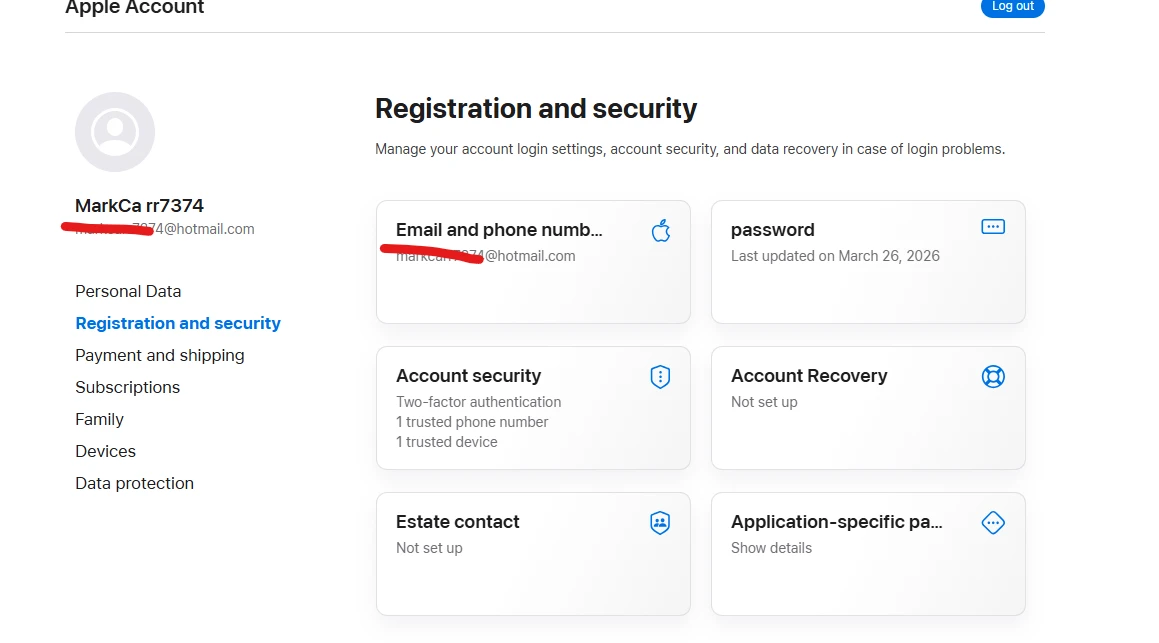
If you successfully log in, your account is not banned. [1]
If you can enter your password, pass two-factor authentication, and see your account dashboard on apple.com or icloud.com, your overall Apple ID is fully active and in good standing.
If your account gets banned or disabled while you are actively purchasing something, the transaction will immediately fail, and an error message will block your screen. Apple will instantly freeze the checkout process to protect financial security. [1]
3. Why does this happen mid-purchase?
If a ban triggers specifically during a checkout, it is almost always caused by an automated fraud trigger, not a violation of terms. Apple's security algorithms flag the transaction if: [1, 2]
You are using a new credit card that doesn't match your account region.
You are making a purchase while connected to a VPN or from an unusual geographic location.
Your bank instantly flagged the payment as suspicious and issued a chargeback or fraud alert to Apple.[1, 2, 3]
What you should do next
If this just happened to you, do not try creating a new account or spamming the purchase button. This will make Apple's system flag your device. Instead, contact Apple Support immediately at apple.com and ask to speak with the Billing and Accounts team to get the fraud block removed.
e
Automatic feedback after 7 days.
it has 2fa on it
Read instruction if need help support ticket
Automatic feedback after 7 days.
Apple IDs
Log in to Your Customer Account Check your inbox Enter your password Two-Factor Authentication
We'll email you a one-time code, no password needed. Enter the 6-digit code sent to . Enter the password for . Enter the 6-digit code from your authenticator app, or an 8-character recovery code.
Products

Nitro Promo Link 3 Month

Chatgpt Codex Credits

Chatgpt Plus - Monthly

Family Google Gemini Pro Account – 18 Months | 5TB Cloud Storage

Cursor AI - 1 Month



![GMAILS - UNUSED [ FULL ACCESS ]](https://hoshinostudios.com/storage/images/845392.webp)













No matches here. Press Enter to search everything.